
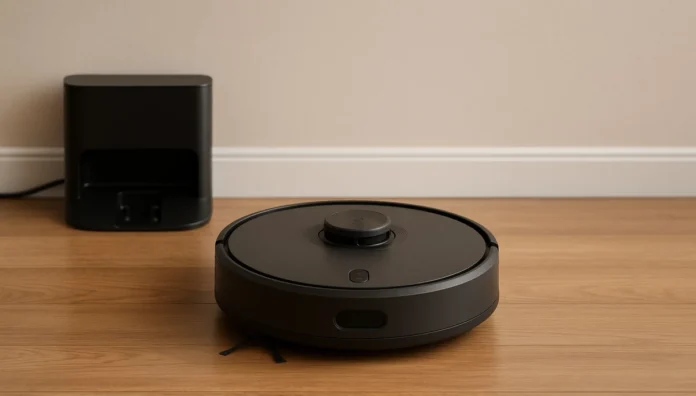
Taking home a robot vacuum is similar to hiring a very small, very determined cleaning assistant. It quietly docks where you leave it, waits for your direction and then rolls out into the world to eat crumbs, dust and pet hair while you do other things. But to make the most of a robot vacuum, especially in its first week, you actually need a modest routine, not a “yo-yo” mentality to replace “set it and forget it.”
The first time I let a robot vacuum cleaner loose in my house, what I wanted was for pinball-style grandeur: the little machine zipping around making satisfying thwip-thwap noises as it bodyslammed couch legs and sucked dirt out of tight corners. Instead, I realized that a little prep work helped it clean a lot better. The good news is you don’t have to be a techie. A solid daily schedule will allow your robot vacuum to map the space, dodge trouble and maintain cleaner floors with less of your effort.
This guide helps you get through the first week: setting up, taking daily actions and doing a few minutes of weekly maintenance. No matter if you are a student, office employee or running a busy household, you will find how robot vacuum may work in real life and save some time for important things.
Deciphering What Your Robot Vacuum Can (and Cannot) Do
A robot vacuum is great for accumulating dust, crumbs, hair and surface dirt on a daily basis. It makes floors look “always recently cleaned,” particularly in high-traffic areas like hallways, living rooms and kitchens. The best robot vacuums today clean both hard floors and low- to medium-pile carpets, maneuver around furniture with ease and return to their charging dock when the job is done.
But a robot vacuum is not a complete replacement for a regular vacuum or mop. It does a mediocre job with deep, ground-in dirt, very thick rugs and cluttered floors. Think of it as a daily-maintenance machine, rather than your annual deep-cleaning tool. If you regard it as a partner, not some magical device that will transform your life, you will be much happier with the results.
Day 1: Get Your Robot Vacuum Cleaner In Order For Success
Your first day is about ensuring the robot vacuum has a fair shot at learning your home.
Start by clearing the floor. Gather cables, socks, little toys and light mats that can get caught in the brush. Push in or stack dining chairs if you can. This simple reset for five minutes before the first map-out will make the opening run smoother as well as prevent entanglement or error messages.
Then get the charging dock ready to go. Lean it against the wall on a flat surface with some open space on either side. The robot vacuum cleaner must have a clear path to the dock. Plug it in, full-charge the battery, then put the robot on your Wi-Fi and app. The app is where you’re going to find maps, schedule your robot’s time, adjust suction power and create “no-go” zones down the road.
When powered up, go through the house while cleaning. The mapping run is usually this one. Set the robot vacuum free without talking to, or interrupting it, even if it might seem comically confused at first. The map it generates on Day 1 will help it get a lot smarter throughout the week, improving its routes and minimizing random or serpentine movement.
Your daily routine is not too complex during the first week.
Establishing Your Daily Robot Vacuum Routine
Once the first day of mapping is over, your objective should be to establish a daily rhythm for robot vacuum cleaning.
Every morning do a fast floor check in the main areas, it should only take two or three minutes. Push chairs in, clear new clutter out and sweep the cords near the floor. Then initiate your programed clean from the app. Some people like to set the robot vacuum cleaner to run when they leave for work or class so that it can do its duty without being in their way.
For the first week, concentrate on running it once per day in high-traffic areas. Small apartments are typically OK with a full-home clean each day. For larger homes, you can set zone cleaning for specific rooms such as the kitchen, living room or hallway. Over a period of days, you will begin to see patterns in which rooms get dirty the fastest and how long it takes us (humans) on average to run through them.
Spiegel recommended incorporating a fast check into the evening routine. Empty the dust bin after every full clean, especially if you have pets or are in a high-dust location. A full bin decreases suction and will make any robot vacuum significantly less effective. A quick look at the brushes for hair tangles and an assurance that the robot made it back to its dock without getting stuck under a chair or between furniture.
Performance-Enhancing Weekly Routine Things to Do Each Week to Keep Up Performance
Even in Week 1, maintenance is key. Lots of people are frustrated that their robot vacuum cleaner seems to lose steam over time, but in many cases the problem is a clogged filter or tangled brush.
Once or twice a week during that first week, clean hair out of the main brush and side brushes. This is important if you have long hair or pets. Examine the wheels to ensure nothing is wrapped around them. Rub a dry or slightly damp cloth over the sensors so it can “see” edges, walls and furniture.
Do not forget the filter. Some filters are shaken over a trash can to remove dust, while others can be rinsed under running water. The manual is your friend, as always, and make sure washable filters are fully dry before replacing them. A clean filter helps your robot vacuum cleaner stay at peak performance, providing stronger suction and better air quality.
Modifying the Regime for Pets, Kids and Carpets
Robot vacuums are most useful in homes that have pets and or kids, but they’re also the ones most likely to create a mess. If you have dogs or cats that shed, run your robot vacuum cleaner at least twice a day in the main areas. Pet hair accumulates rapidly on rugs especially, and lighter runs more often are better than one big clean.
If your floor is filled with toys, blocks or small objects, the app lets you establish “safe zones.” Most robot vacuums allow you to draw virtual no-go zones on the map so that you can, for example, keep the robot from playing hide and go seek in a corner or snaking around cables behind your TV stand. This decreases disruptions and saves you the trouble of rescuing the robot halfway through its cleaning cycle.
For carpeting, see whether your robot vacuum offers “carpet boost” or automatic suction increase. This setting adds power when it feels fabric or the like beneath your wheels. During your first week, observe how it behaves when transitioning from hard floors to rugs. If it continues to snag on a specific mat, you can always pick up or mark that mat as a no-go zone during cleaning times.
Typical First Week Issues and Quick Solutions
Nearly everyone has a little trouble the first week. The most common problem is that the robot vacuum gets stuck. If you find it continually wedged under the same bed or chair, nudge that piece of furniture on your end or block that opening. A basic doorstop or box will do wonders for keeping your cleaning schedule from falling through the cracks.
There’s also a common complaint about some parts missing. Often that’s a problem with a mapping or an indication that a room is blocked off while the robot is cleaning. Be sure to open doors for any rooms you want cleaned and recheck the app to see if all of the areas are included in cleaning. Should the map appear off, some models will gain from a fresh mapping run after you shift around furniture.
Noise might also catch new users off guard. A robot vacuum cleaner may be quieter than a full-size vacuum, but in such a small space it is still loud. If the sound is disruptive when you are on calls, or for studying, try arranging your runs when you’ll be out of the room, at a gym or in class.
Final Thoughts
The pioneer week with a robot vacuum is all about education. The robot learns the layout of your home, and you learn how to integrate this little smart cleaner into your daily routine. When the map is solid, schedule is locked in and habits are established, your floors consistently remain cleaner without much added thought.
That will be rewarded much better with less visible dust, fewer surprise crumbs underfoot and a more relaxed routine when it comes to cleaning up if you treat your robot vacuum as a maintenance partner rather than an instantaneous miracle. It only takes a few minutes of attention each day to make sure it is working the best that it can and should.
FAQs
How many times a day should I run my robot vacuum?
For most people, running a robot vacuum once a day in main traffic areas is sufficient. If you have pets, a small child or a very dusty house, running it twice daily for key rooms like the living room and kitchen can keep floors generally clean without overworking the robot.
Do I still need to use a regular vacuum if I have a robot vacuum cleaner?
Yes, you still need a regular vacuum for deeper carpet cleaning, stairs and hard-to-reach spots. The robot vacuum gets daily dust and crumbs, while a traditional vacuum is for occasional deep cleans. For many, the robot cuts down on how frequently they have to break out the big machine.
Can I trust a robot vacuum running while I’m not home?
For most people, it’s perfectly acceptable and safe to run a robot vacuum cleaner while you are out, especially after you have tried a few runs while you’re home. Just ensure that all cords, fragile objects and small items are off the floor and that the dock is accessible for the robot to locate.
Why does my robot vacuum keep getting stuck in the same spot?
What is challenging in that spot? If the robot always gets stuck at a particular place, there must be something problematic for its sensors or wheels. Typical difficulty areas may be low furniture, dangling bedspreads, cords or thick carpet edges. Reposition the furniture, tuck any materials away, secure your wires or even create a virtual no-go zone in the app to prevent the robot from navigating into that danger area.
After daily usage how much time it takes to see the difference using robot vacuum cleaners?
You will notice a visible reduction in dust and crumbs within a few days. By the end of week one, surfaces tend to appear fresher and feel cleaner underfoot. With regular use, the robot vacuum helps to reduce dirt on your floors, even in high-traffic areas of your home.