
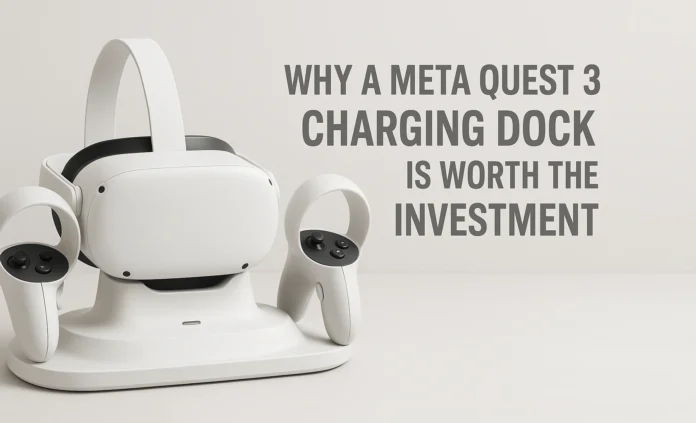
If your Meta Quest 3 dies at just the wrong moment when you are getting into a good session, the issue is seldom the headset. It is how you charge it. An excellent meta quest 3 charging dock gives you a complete solution to keep your device charged, helps you balance play time and charging time, eliminates tangled cables, and makes VR feel as easy as picking up a console game controller.
In this guide you will find the real things that matter when selecting a Quest 3 charging dock, whether or not to get the official dock, when a third party option makes more sense, and how to set it up for day to day home use without getting too caught up in the tech.
Why a Meta Quest 3 Charging Dock Is Worth the Investment
We have had the Quest 3 charging through a loose USB C cable left plugged in, and that works, but it is unwieldy and easy to forget. A standalone meta quest 3 charging dock solves several problems at once. First, convenience. You set the headset and controllers down on it and they start charging without any fuss. For busy households, that habit alone can have a huge impact on how often the system is ready to go. Second, organization. Many docks are constructed as stands, putting your headset and controllers in one clean location instead of leaving them scattered in the living room.
Third, consistency. A dock always uses the same power brick and connection, reducing the chances that you will grab an underpowered charger or a random cable that charges slowly or not at all. Many docks also come with rechargeable batteries and custom controller covers to charge those wirelessly through contact points rather than relying on disposable AA cells.
Kinds of Quest 3 Charging Station You Will Discover
Official Meta Quest 3 Charging Dock
The official Meta Quest 3 charging dock charges the headset and both controllers at the same time. It works with the standard strap and upgraded straps, and it comes with rechargeable batteries as well as replacement battery covers for your controllers. That means you can simply set the hardware down on the dock without plugging in a USB cable.
The official quest 3 charging dock is clean, matches the headset style nicely, and does what it claims. What you sacrifice is price. Typically you will spend more than you would on many third party options to get the integrated look and branding.
For anyone who puts the Quest 3 through its paces multiple times a week and wants the most console-like experience, the official dock can be an important part of the setup.
Third Party All In One Charging Stations
Many accessory makers offer all in one stations that keep the headset, both controllers, and sometimes even an external battery pack in one place. A good one can take the Quest 3 headset, both controllers, and another battery pack to charge them all at once, if you pair it with a powerful enough charger. A strong adapter can top up the whole setup in a few hours.
Other third party stations follow similar ideas. They typically use magnetic charging contacts and fast charging, in addition to the high capacity rechargeable batteries used in the controllers. Some add features like controllable LED indicators or soft lighting accents so the dock does not blast you with harsh light at night.
The big advantage is flexibility. Most of these third party docks are made to work with popular head straps and face interfaces, not just the stock ones.
Minimal Stand Style Docks
A third type is a basic stand that also works as a quest 3 charging dock, but puts more emphasis on displaying and holding the head strap. Some charge only the headset through a USB-C port, while others connect to a head strap or battery strap that takes care of the charging logic.
These minimal stands are best suited for people who want a clean, low-profile presence without extra features. There are no extra frills beyond some cable management options along the poles. Many mount to their bases using magnets. They are aimed more at people who already bought a premium head strap or battery solution and just want something neat-looking to secure the headset on a desk or TV cabinet.
What to Look for in a Quest 3 Charging Dock
Charging Speed and Power
Check the type of power input your dock expects. Many use a 30 to 45-watt USB adapter that can be used with Quest 3 charging docks. With ample power, they can charge the headset and controllers in just a few hours instead of trickle charging overnight. Some docks include a power brick, while others expect that you will bring your own.
Controller Charging Method
Headset charging happens through USB-C or magnetic pins on the underside of the Quest 3. The exact input method differs from dock to dock.
A good dock includes its own battery covers and rechargeable cells so that you can drop the controllers in place to charge them just like your headset. This saves money on AA batteries and keeps everything in sync. Most, though not all, official and aftermarket docks do this.
Strap and Accessory Compatibility
The more that you personalize your Quest 3, the more important compatibility becomes. Devices that use a rear battery on head straps, thick facial interfaces, or add-on headphones can physically change how the headset sits in a dock.
Check whether the dock specifically supports Elite-style straps or well-known third-party straps. Some docks include adjustable contact blocks or wider cradles that still line up with the charging port even if you add accessories.
Build Quality and Stability
A daily at-home charging stand has to be able to withstand real life. That means a weighted base so it will not tip over, non-slip feet, and enough structural integrity that you can grab the headset with one hand without knocking over the whole stand.
Plastic does not necessarily have to feel cheap, but the joints should not bend and flex, and the headset cradle should feel secure when you set it down.
Status Indicators and Smart Charging
You might not care about LED indicators at first, but once you use a dock for a while, they become very helpful. It is useful to be able to glance over and see if the headset and controllers are still charging or are finished. Look for docks with separate LEDs for the headset and each controller instead of one generic light.
Some premium docks also provide battery conditioning or smart charge management so that the batteries sitting in them all the time last longer, as long as you do not leave them sitting at maximum charge forever. These are some of the ways you can optimize how you use your battery day to day and support long-term battery health.
Official Dock vs Third Party: What Is Best for Everyday Home Use?
When It Makes Sense to Buy the Official Meta Quest 3 Charging Dock
For many people, the official Meta Quest 3 charging dock is ideal if they want a low-friction experience. If you use the Quest 3 several times a week, share it with other members of your household, and like everything to look consistent, then the official dock has real strengths.
It is closely matched to the headset in design, supports first-party straps, and is easy to install. It provides constant power to the system, keeping it charged and ready, while also securing the headset when not in use next to your TV or monitor.
You pay more than you would for many third-party docks, and beyond the neat integration, there are fewer extras, but the overall experience is very polished.
When You Should Go for the Third-Party Quest 3 Charging Dock
Third-party charging docks make more sense if you are cost-conscious, already use a third-party non-Meta head strap or face cover, or have other plans, such as pairing it with another battery charger or a battery strap, or simply adding an extra USB-C port on your desk so you can charge other devices.
Some docks, and some docks paired with straps, even bundle a high-capacity external battery in tandem with a smart charging dock. Those can really extend play time while still providing an easy docking experience when you are done. Many of these offer more comfort and value than the official dock with a stock strap.
If you need a very polished, console-style single dock and do not mind paying extra, the official option is fine. If your priorities lean more toward price, flexibility when traveling, or battery life, then a third-party Quest 3 charging dock is often the smarter purchase.
Useful Tips for Daily Application
Place the dock in a location where it already feels natural for you to dock your phone or other gadgets. For most people, this will be the TV stand, gaming desk, or a side table near the router or console. You want it in a place where, after a session, you automatically set the headset down on the dock.
Provide some space around the dock for air to circulate. The Quest 3 does not get extremely hot while charging, but stacking other gadgets on top of the dock is not a good habit.
If your dock comes with rechargeable controller batteries and covers, install them properly on day one, test that LEDs show charging for both controllers, and have everyone who uses the headset practice how to correctly seat the hardware in the dock. Once that muscle memory is learned, you will rarely find a dead controller.
Battery Conditioning and Long-Term Use
Today’s lithium-ion batteries are designed so you can place devices back on the dock and leave them charging as long as you like without micromanaging. Quest 3 accessory charging docks are built with this in mind.
Even if you play casually and leave the headset docked for long stretches, you can still treat the battery well by allowing it to drain naturally during sessions and then charging it fully, rather than repeatedly docking it after only a few minutes of use. The normal play and recharge pattern already cycles the battery frequently for heavy users.
Some of the nicer docks also feature conditioning or smarter charge control, which helps keep their included controller batteries healthy. Combined with the power management built into the headset itself, this means you can usually leave it on the dock overnight without incurring damage. You can enable or disable these features through settings if you do not need them.
Final Thoughts
So there you have it, a look at choosing the best Meta Quest 3 charging dock for home use. The top meta quest 3 charging dock is the one that fits how you actually live and play, not just a spec sheet. If you prefer everything first-party and like a no-nonsense plug-and-play feel, the official Quest 3 charging dock is a good-looking and convenient option that makes the system feel like a complete console-style product.
If you want to spend a bit less, already use an aftermarket strap or battery, value extra features, or simply want more flexibility from your charging stand, a carefully chosen third-party Quest 3 charging dock can give you the same everyday convenience and, in many cases, better value for the money. Regardless of which path you choose, placing the dock somewhere natural and building a habit of ending every session by dropping the headset onto it will do more for your day-to-day convenience than any spec line. That habit is what keeps your Quest 3 ready when you actually have time to play.
FAQs
What is the Meta Quest 3 charging dock?
The Meta Quest 3 charging dock is a dedicated stand designed to charge your Quest 3 headset and, in many cases, its controllers. It usually includes contact points, rechargeable batteries, and replacement battery covers so you can charge everything by simply placing it on the dock instead of plugging and unplugging USB-C cables.
Do I actually need a dock for the Meta Quest 3?
You can live without a dock, but having a dedicated Meta Quest 3 charging dock makes everything much easier for most people. It stores the headset and controllers out of the way, cuts down on cable clutter, and, perhaps most importantly, decreases the likelihood that you will grab a dead device. For anything other than a single-user, desk-bound setup, a dock is almost mandatory.
Will third-party Quest 3 charging docks break my headset or controllers?
Good third-party docks should be able to cover the power needs of the headset by using standard USB-C power delivery. There is no special added risk as long as you select a dock from a known brand and follow the included instructions. Issues usually arise only with the very cheapest no no-name chargers that use substandard power bricks or poor quality connectors.
Can my Quest 3 be left on the charging base overnight safely?
For normal home use, yes. Both the Quest 3 and newer docks are designed to control charging automatically, reducing current once the battery is full. It is very common to leave the headset docked overnight. If you care about long-term battery health, periodically let it run down several levels during play (but not all the way to empty) and then place it back on the dock.
If I use a third-party head strap or facial interface, will a charging dock still work?
Many quest 3 charging dock designs take popular third-party straps into account, but not all do. Head straps with a large rear battery or wider side arms can change how the headset rests on the dock. Be sure to check compatibility notes and product photos carefully before purchasing.
How is a charging dock better than simply plugging in a USB-C cable?
Technically, both methods provide power, but the experience is very different. A loose USB-C cable works, but you have to go find the cable, plug in the headset, and then decide what to do with the controllers. With a Meta Quest 3 charging dock, the system has a dedicated spot in your home where it charges, the controllers charge through contact points, and everything looks much tidier in your living room or office.